

How to Descale OXO Coffee Maker: Simple Steps for Great Taste
To maintain the performance and longevity of your OXO coffee maker, regular descaling is essential. This process, which should be conducted approximately every 90 days or as necessary based on your usage, helps remove mineral buildup from water, ensuring that every cup of coffee is not only delicious but also aromatic. With a descaling duration of about 25 minutes, it’s a simple yet critical care routine for any coffee aficionado. Moreover, it’s a straightforward process that involves running a descaling solution through the machine to cleanse it thoroughly, followed by multiple rinses with clean water to clear out any remaining residues.
Understanding the specifics of descaling can make a significant difference in your coffee machine’s function. Each model, such as the OXO 9 cup and OXO 8 cup coffee makers, may have slight variations in the descaling process. Additionally, if the descaling light on your device has been activated, it indicates it’s time for a cleaning cycle, a handy reminder for busy coffee lovers. The team at The Green Pods brings a wealth of knowledge to the table, with experts ranging from engineers to baristas who provide insights into achieving the perfect coffee experience. They offer an array of coffee-related products such as cleaners and reusable capsules, providing coffee solutions to a global audience.
Key Takeaways
- Regular descaling of your OXO coffee maker every 90 days ensures optimal brewing quality.
- The descaling process is a quick 25-minute routine that keeps your coffee tasting great.
- Different OXO models may require specific descaling steps, taking note of which can maximize machine efficiency.
What Is Descaling
Descaling is essential maintenance for coffee makers exposed to hard water. It involves removing limescale and mineral buildup—primarily calcium deposits—that can cause clogs and corrosion. This buildup can impair machine performance, affecting water flow and brewing temperature, resulting in less-than-ideal coffee.
- Limescale: A chalky, white residue from minerals in water
- Mineral Deposits: Accumulate over time, causing blockages and reducing efficiency
- Hard Water: Often leads to increased levels of scaling and buildup
By descaling, you clear these internal elements, which helps:
- Maintain optimal water flow
- Preserve consistent brewing temperature
- Enhance overall coffee taste and aroma
Regular descaling prevents potential damage, ensuring the longevity and reliability of your coffee machine.
How Often Do You Need To Descale Your Oxo Coffee Maker?
| Descale Frequency | Based on Usage and Water Hardness |
|---|---|
| Regular descaling | Every 90 days |
| High usage | Every 60 days |
| Indicators | Reduced performance or quality |
- Water Hardness: The frequency of descaling varies with the mineral content in your water.
- Brewing Frequency: More frequent use may necessitate more frequent descaling.
- Reminder System: Oxo brewers are equipped with a clean button light to alert you when it’s time to descale.
Regular maintenance keeps coffee taste and machine performance at their peak.
How Long Does the Descaling Process Take?
- Typical duration: 25 minutes
- Longer if: excessive mineral build-up
- Impact: Ensures optimal coffee taste and brewing times
What You Will Need
To ensure your coffee maker operates effectively, gather the following materials before beginning the descaling process:
- A soft, damp cloth: For wiping down the machine’s exterior and any removable parts.
- Fresh water: Essential for rinsing the water reservoir and carafe post-descaling.
- Carafe: Use the one provided with your coffee maker for containing descaling solution during the process.
- Descaling solution: An effective way to remove mineral buildup from the machine. For those who prefer environmentally friendly options, consider an eco-descaler that’s biodegradable.
We use and recommend:
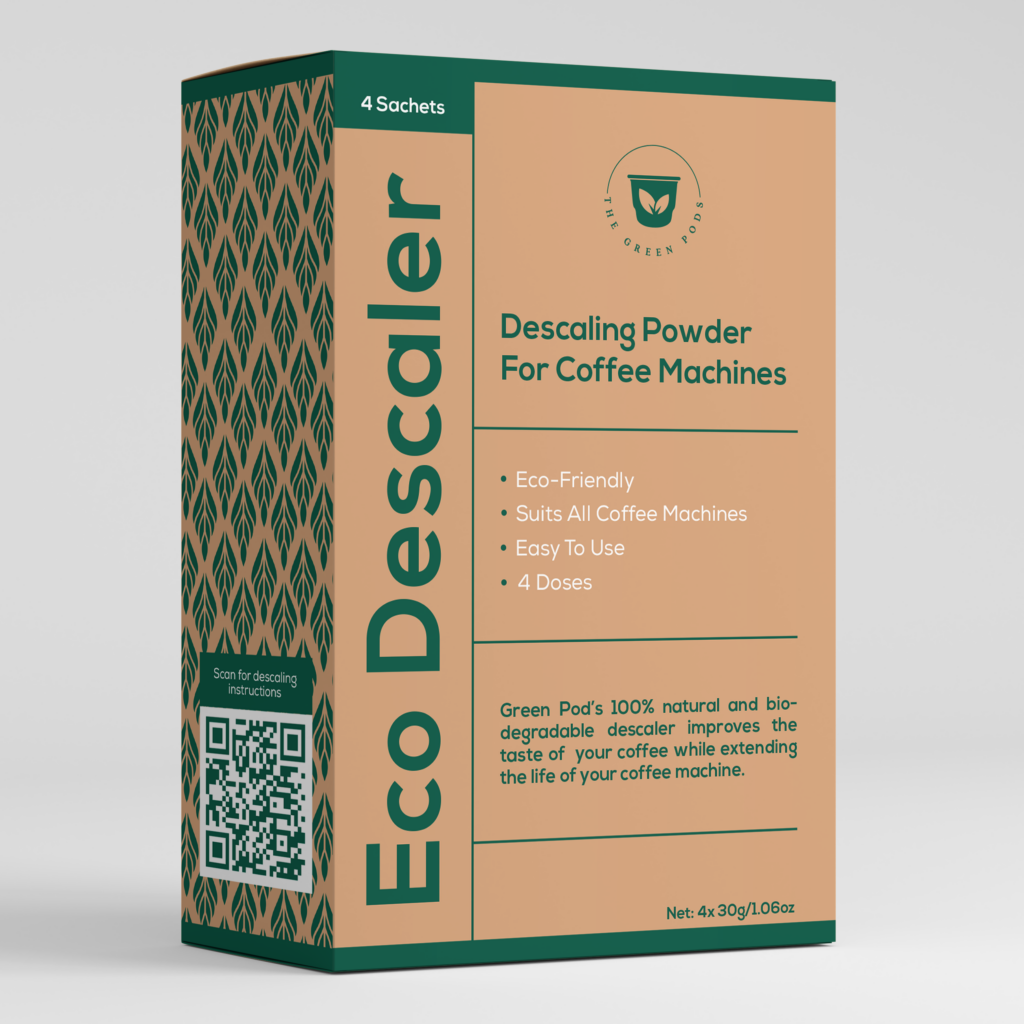
The Green Pods Descaler
39 VERIFIED reviews
The most effective and easy-to-use descaling product on the market.
$24.9 $17.95
Remember to use these materials in accordance with your coffee maker’s manual to avoid any potential damage.
A Step-by-Step Guide On How To Descale Your Oxo Coffee Maker: 3 Simple Steps
Instructions for Manual Descaling:
Prepare Solution:
- Fill the carafe with descaling solution.
- Pour into water reservoir.
Begin Brew Cycle:
- Select carafe mode.
- Start a brew cycle; let the solution sit for the recommended time.
Finish and Rinse:
- Complete brew cycle.
- Run two cycles with cold water to rinse.
Step 1: Exterior clean
Before addressing the interior, commence with an exterior clean of the coffee maker. Their daily work can lead to the accumulation of oils and grounds, which might tarnish the taste of the next brew.
Instructions:
- Unplug: Ensure the machine is switched off and unplugged from the power source.
- Disassemble: Carefully remove the brew basket, carafe, and any other removable parts.
- Wash: Submerge the brew basket and other accessories in warm, soapy water. For the carafe, it requires a hands-on approach with the same solution, as it’s not suited for the dishwasher.
- Dry: After washing, one can either pat these components down with a soft cloth or let them air dry.
For the machine’s exterior including the rainmaker showerhead, a simple wipe with a damp cloth should suffice. This ensures that every press of the power button is for a machine that is not only internally pristine but shines on the outside too. Once dry, reassemble all parts, ensuring they’re secure and properly positioned.
Step 2: Descale cycle
To descale manually:
To ensure optimal performance from their coffee maker, users should occasionally perform a manual descale. Begin by filling the reservoir with a mix of descaling solution and clean water up to the MAX line. Next, remove any coffee or filter from the brew basket. With the carafe in place, start the descale cycle:
- For the 8-cup model: Toggle the switch to the carafe icon, hit the power, followed by the clean button.
- For the 9-cup model: Unplug the coffee maker, hold the OXO button while reconnecting to power, release when “-9-” displays and the LED is red, then press the button once more.
Allow the cycle to complete, and repeat as necessary until the reservoir is emptied.
Descaling when the light is on:
When the descale indicator lights up, it’s a signal that the coffee maker needs attention for descaling. Users should:
- Fill the water reservoir with a descaling solution to the MAX line.
- Ensure the carafe is ready on the drip tray and the brew basket is void of any coffee or filter.
The 8-cup model users should repeat the steps outlined in the manual descaling section above, whereas 9-cup model owners should rotate the knob until “-9-” is displayed and the light illuminates. Press the OXO button to engage descale mode, and then proceed as with the manual descale process.
Step 3: Rinse cycle
After descaling your OXO coffee maker, the next step is to ensure all cleaning agents are fully removed:
- Refill the water tank with clean water.
- Run a full water-only cycle by pressing the OXO button.
- Empty the tank, and repeat this process for thorough rinsing, doing this up to 9 times.
- Discard the water after each cycle to ensure all residue is removed.
For a visual guide on the rinsing steps, you can watch this helpful video by OXO.
Frequently Asked Questions
Q. How do I manually descale my Oxo coffee maker?
To manually descale an Oxo coffee maker, the user should start by filling the reservoir with a descaling solution up to the MAX line. The coffee filter should be removed before placing the carafe on the drip tray. On the 8-cup model, the user will need to select the carafe icon before starting the descale process, while on the 9-cup model, the user must hold the OXO button while reconnecting power until the LED ring lights red. The descaling cycle is then initiated, running until the reservoir is empty, and followed by multiple clean water rinse cycles.
Q. What is a homemade descaling solution for an Oxo coffee maker?
A homemade descaling solution can be made using either white vinegar and water or citric acid. These natural, acid-based agents are effective at removing limescale. To use vinegar, mix it with water in equal parts and run several brew cycles. For citric acid, one tablespoon should be dissolved in a liter of lukewarm water before running through the brew cycle. After descaling with these solutions, the user should perform numerous clean water cycles to ensure no residue remains.
Q. How do I get rid of the red triangle in my Oxo coffee maker?
To turn off the red triangle warning light on an Oxo coffee maker, one should try holding the OXO button for a brief period and then power-cycling the machine. If the red triangle persists, a descaling cycle is likely needed to reset the indicator.
Q. How do I clean my Oxo coffee maker?
Cleaning an Oxo coffee maker involves several steps. After unplugging and allowing the machine to cool, users should remove the carafe, showerhead, brew basket, and other removable components, cleaning them manually or in the dishwasher where appropriate. Wiping the exterior with a damp cloth is also recommended for ongoing maintenance.
Q. Can I use vinegar to descale my Oxo coffee maker?
While vinegar can be used to descale an Oxo coffee maker, it is not the manufacturer’s recommended agent due to the potential for corrosion and voiding the warranty. In addition, vinegar’s strong odor may linger and affect the taste of future brews.
Q. How do I know if my coffee machine needs descaling?
Signs that a coffee machine needs descaling include the activation of the descaling light, extended or irregular brewing times, reduced or uneven water flow, fluctuations in water temperature, and an off-taste in the coffee, such as bitterness, sourness, or a metallic flavor.
Q. What can I use instead of a descaling solution?
If a descaling solution is not available or desirable, users can opt for vinegar, lemon juice, or citric acid as alternative descaling agents. These substitutes can help maintain the machine while also ensuring cleanliness and proper function.
Final Thoughts And Recommendations
Maintaining the performance and extending the longevity of a coffee maker is crucial for anyone looking to savor the perfect cup of coffee consistently. Regular maintenance, including descaling, ensures better flavor and aroma while preventing potential damage to the appliance. Here’s how you make the most out of your coffee maker’s maintenance routine:
- Perform descaling every 90 days, especially if your water is hard or you frequently brew coffee.
- Utilize descaling products like the Green Pods Eco Descaler, which provides a year’s supply and is cost-effective.
- Ensure to follow the manufacturer’s instructions for dilution of the descaler to safeguard the appliance’s parts and achieve optimal results.
- Opt for environmentally friendly descaling solutions to align with eco-conscious practices without compromising on quality.
Here are some other tips to cultivate a consistently delightful coffee experience:
- Use fresh, filtered water for each brew to enhance the coffee’s taste.
- Keep the coffee machine clean by wiping surfaces and removing old coffee grounds after every use.
By being mindful of these aspects and implementing these tips and tricks, you not only maintain the coffee maker but also secure the benefits of a high-quality brew. Let’s not forget, a well-maintained coffee maker is the key to unleashing a symphony of flavors and the full-bodied aroma of coffee in your own home.

